
Use a discount coupon in a shop
A coupon is a discount from a shop near you. You show a QR code (a square picture) at the till, the shop scans it, and you pay less.
Words in a coloured box are the buttons and titles exactly as the app shows them. The app speaks English and Arabic.
Step 1
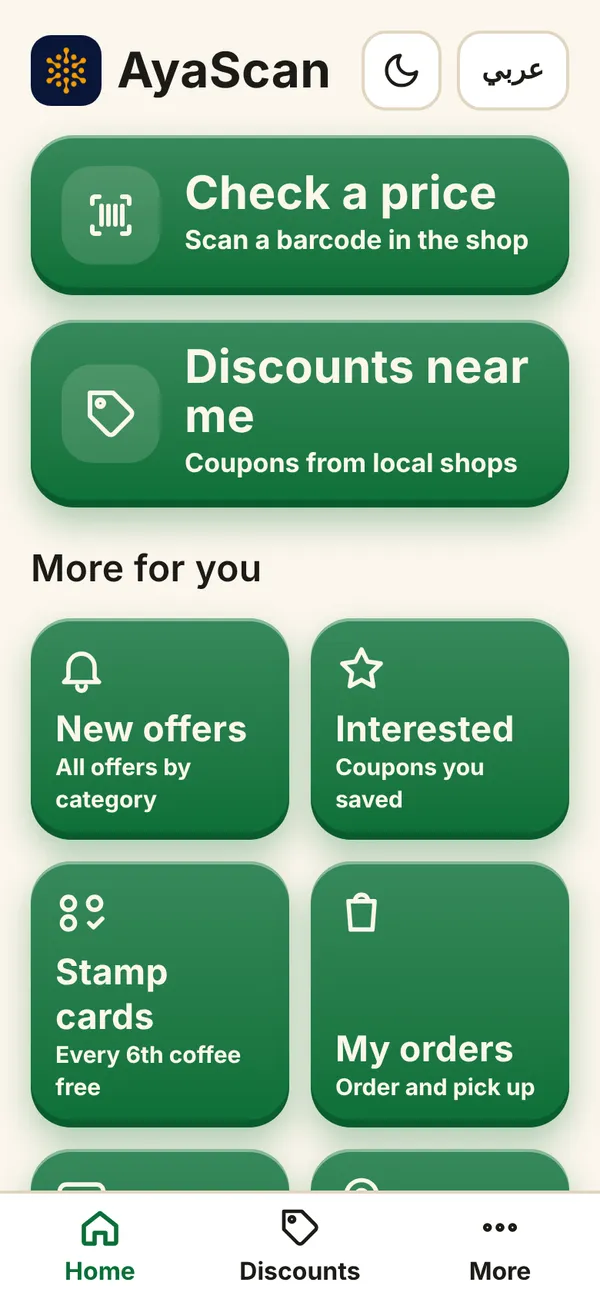
Open AyaScan and tap Discounts near me.
What you see on your phone Step 2
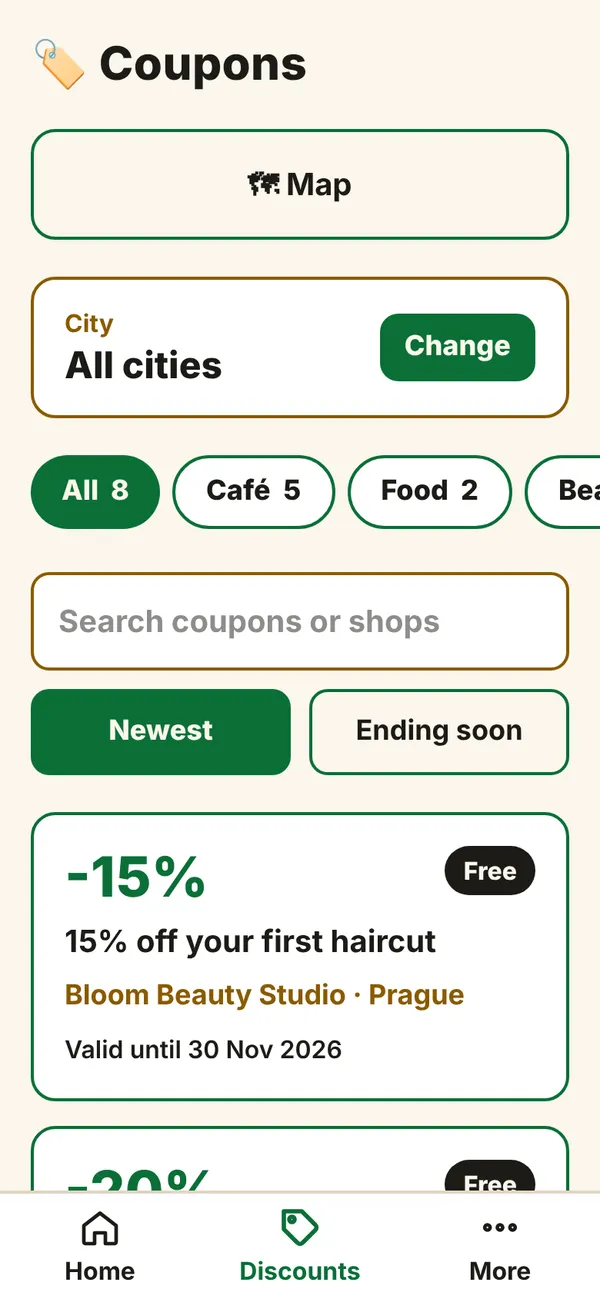
You see the coupons of your city. To choose another city, tap Change. Tap a category (for example Café) to see only those coupons.
What you see on your phone Step 3
Tap a coupon to open it. You see the discount, the shop, its address and until when the coupon is valid. Read the small rules: some coupons work only at certain hours or once per person.
What you see on your phone Step 4
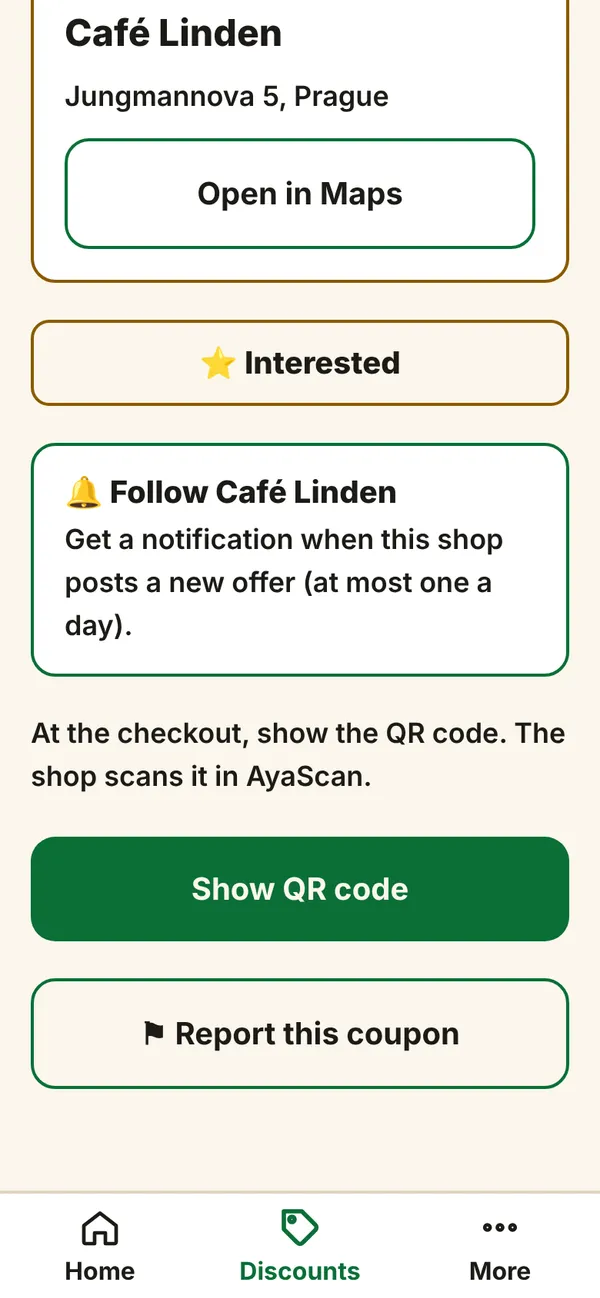
Want to keep it for later? Tap ⭐ Interested. You find it again on the Home screen under Interested.
Step 5
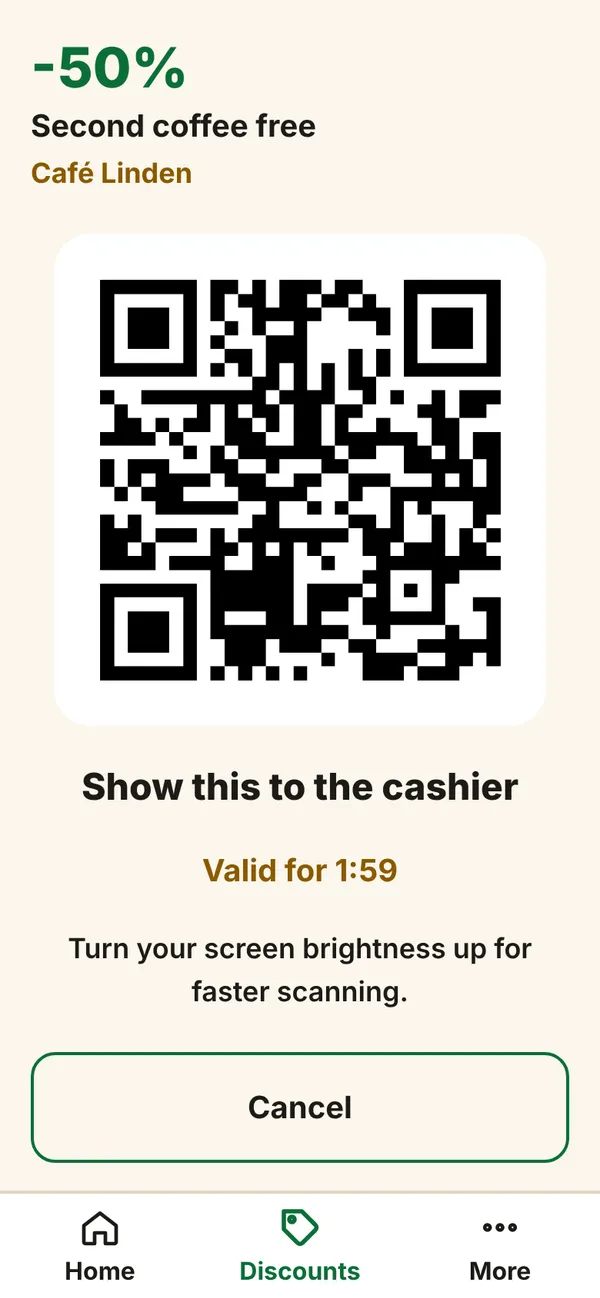
Go to the shop. At the till, before you pay, open the coupon and tap Show QR code.
What you see on your phone Step 6
Show the screen to the cashier. They scan the QR code with their phone. The QR code works for 2 minutes; if it ends, tap Make a new QR code.
Step 7
When the shop has scanned it you see Coupon used. The discount is applied. AyaScan counts how much you saved.
That is all. You never pay anything to AyaScan.