
Save your 12 words
Your AyaScan account has no password, e-mail or phone. Instead it has 12 secret words. With them you can get your account back on any phone. Without them nobody — not even AyaScan — can bring it back.
Words in a coloured box are the buttons and titles exactly as the app shows them. The app speaks English and Arabic.
Step 1
Take a pen and a sheet of paper. Do not take a photo or a screenshot of the words: photos get shared and lost.
Step 2
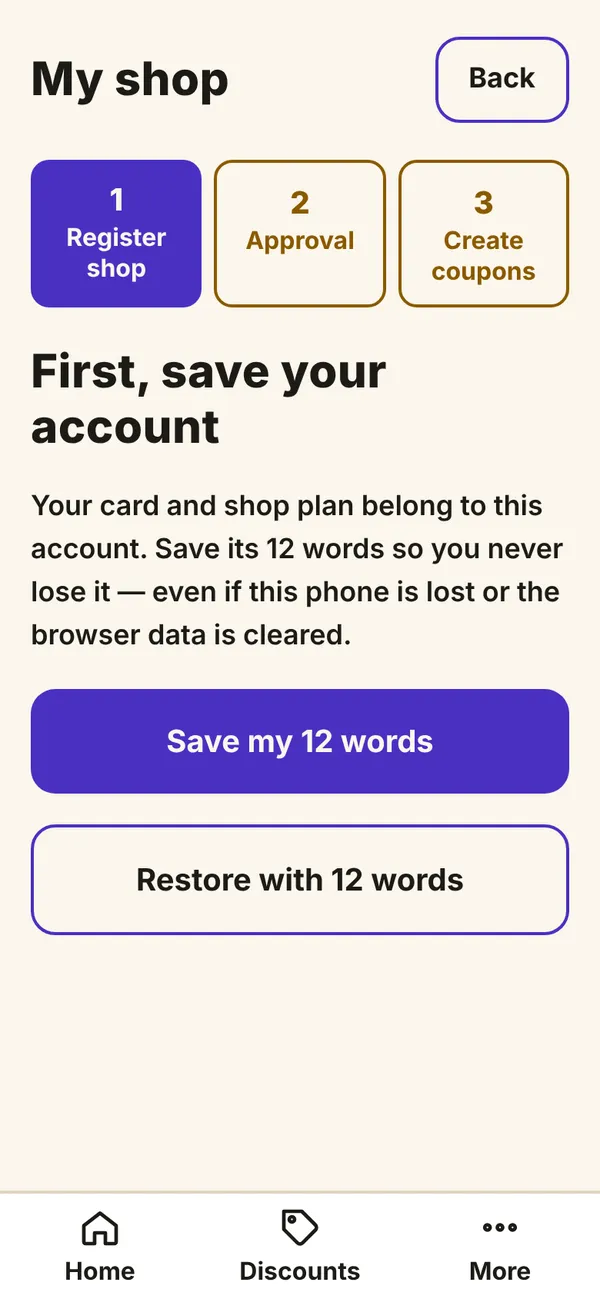
The app asks you to save the words when you need them, for example before you register a shop. You see First, save your account. Tap Save my 12 words.
What you see on your phone Step 3
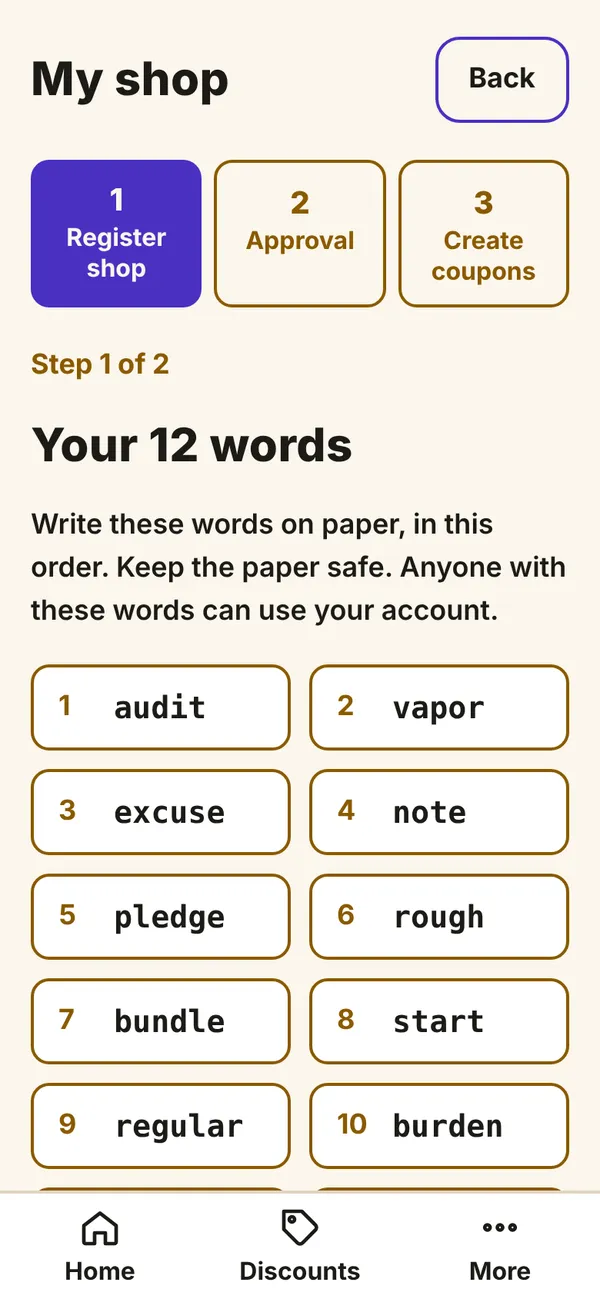
You see Your 12 words with numbers 1 to 12. Write every word on the paper, with its number, in this order. Write clearly and check each letter.
What you see on your phone Step 4
Tap I wrote them down.
Step 5
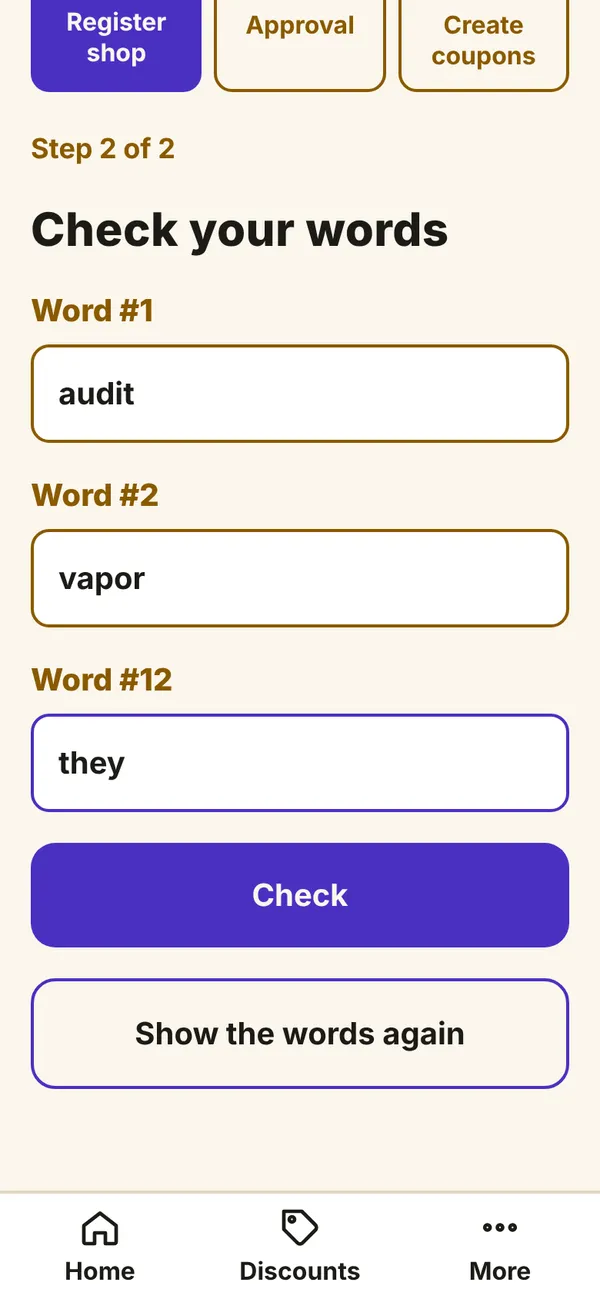
The app checks you: it asks for three of the words, for example Word #4. Look at your paper and type each word in its field. Then tap Check.
What you see on your phone Step 6
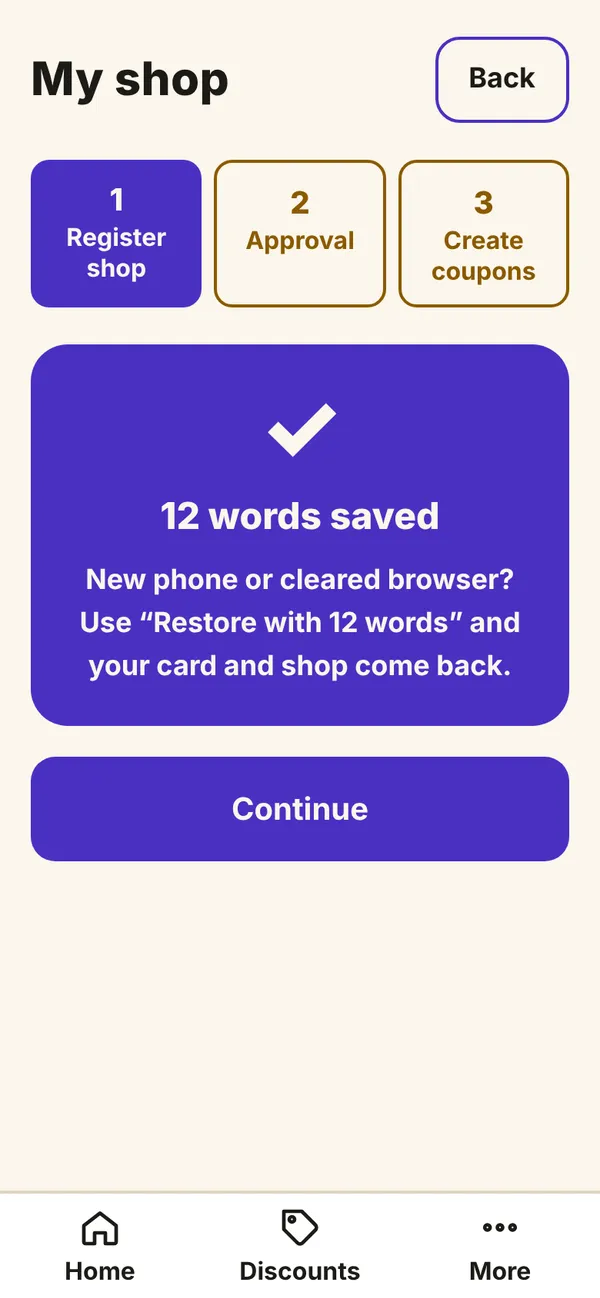
When the words are right you see 12 words saved. Keep the paper in a safe place at home, like your important documents. Never give the words to anyone — AyaScan will never ask for them.
What you see on your phone
Your account is safe now. If you change your phone, see “Get your account back on a new phone”.