
Create a coupon
A coupon brings customers to your door. Every approved shop can publish 10 coupons a month for free.
Words in a coloured box are the buttons and titles exactly as the app shows them. The app speaks English and Arabic.
Step 1
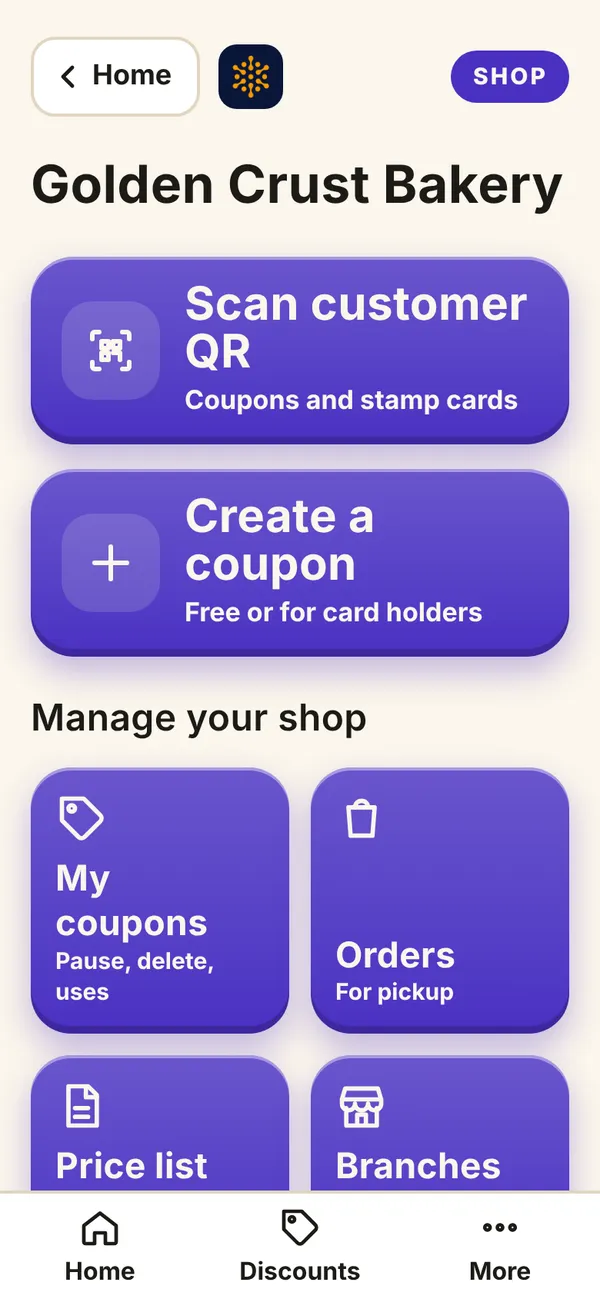
Open AyaScan, tap I have a shop, then Create a coupon.
What you see on your phone Step 2
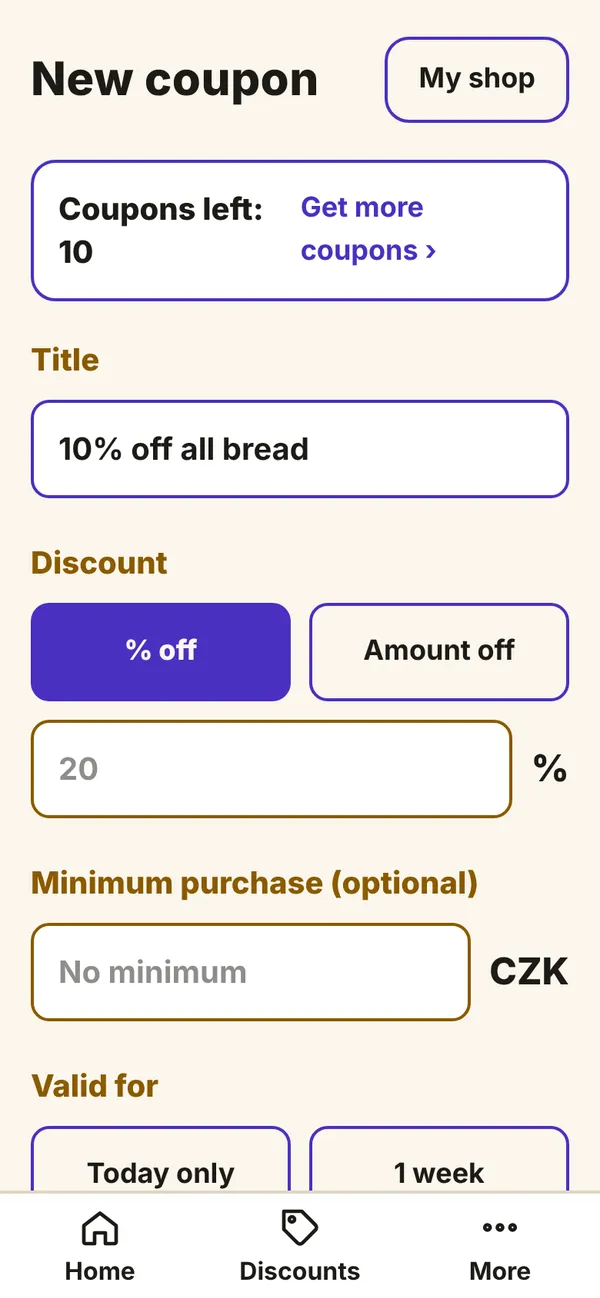
Write a short Title that says the benefit, for example “Second coffee free” or “10% off all bread”.
What you see on your phone Step 3
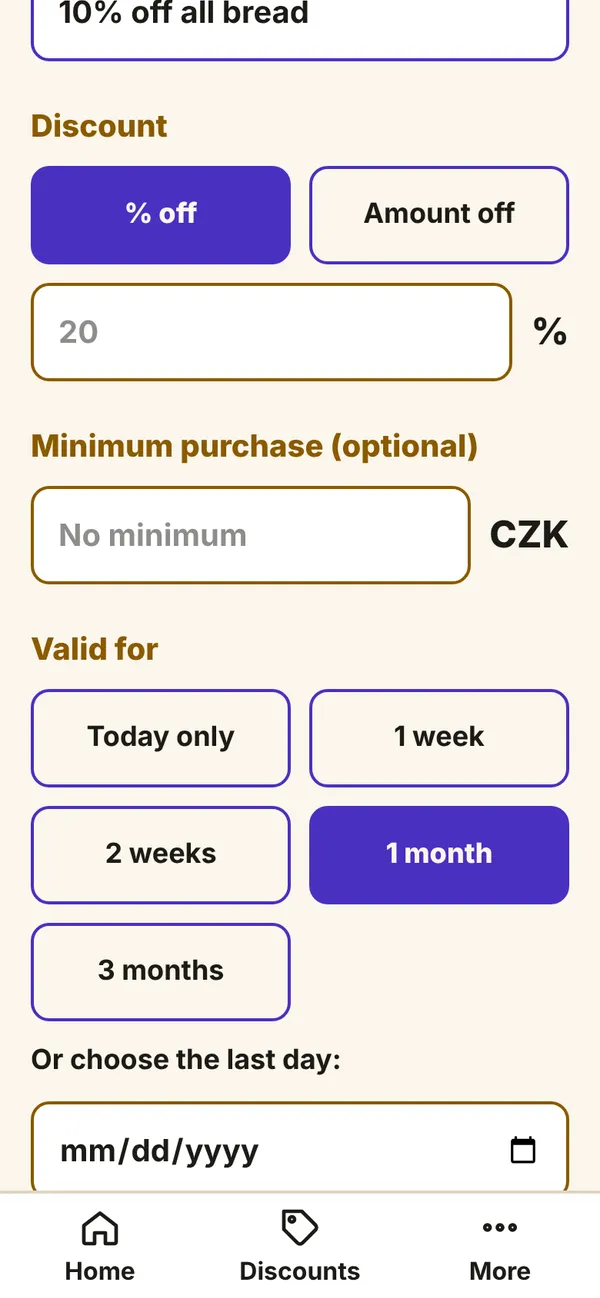
Choose the discount: percent (%) or a fixed amount. You can add a minimum purchase.
Step 4
Choose how long it is valid: Today only, 1 week, 1 month and more. Choose when it can be used and how many times per customer.
What you see on your phone Step 5
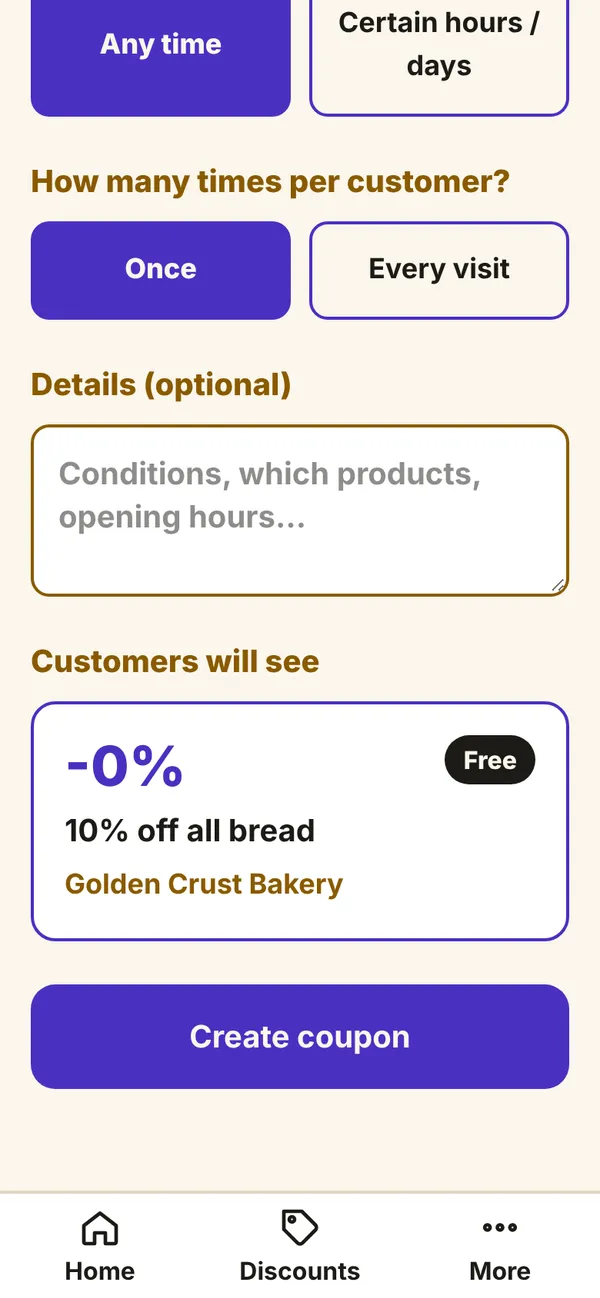
At the bottom you see how customers will see the coupon. Check it, then tap Create coupon.
What you see on your phone Step 6
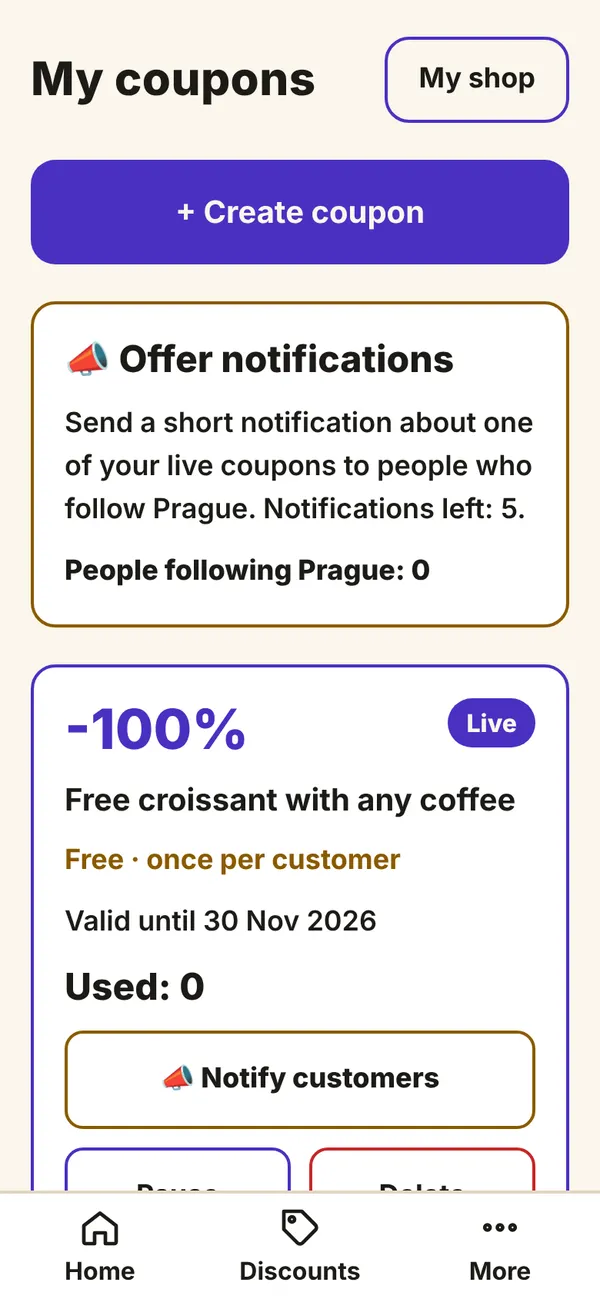
The coupon is checked automatically and then shown to people in your city. You find all your coupons under My coupons: there you can pause or delete them.
What you see on your phone
A coupon that is not published costs nothing.