
Open AyaScan on your phone
AyaScan works in the internet browser of your phone. You do not need an app store, an e-mail or a phone number.
Words in a coloured box are the buttons and titles exactly as the app shows them. The app speaks English and Arabic.
Step 1
Find the browser on your phone. On an iPhone it is called Safari (a blue compass). On Android it is usually Chrome (a round icon with red, yellow and green). Touch it once with one finger — this is called “tap”.
Step 2
At the top of the screen there is a long empty field. Tap it, type ayascan.com and tap the Go or Enter key on the keyboard.
Step 3
AyaScan opens. You see big green buttons: Check a price and Discounts near me. At the bottom there are three buttons: Home, Discounts and More. They are always there, so you can never get lost.
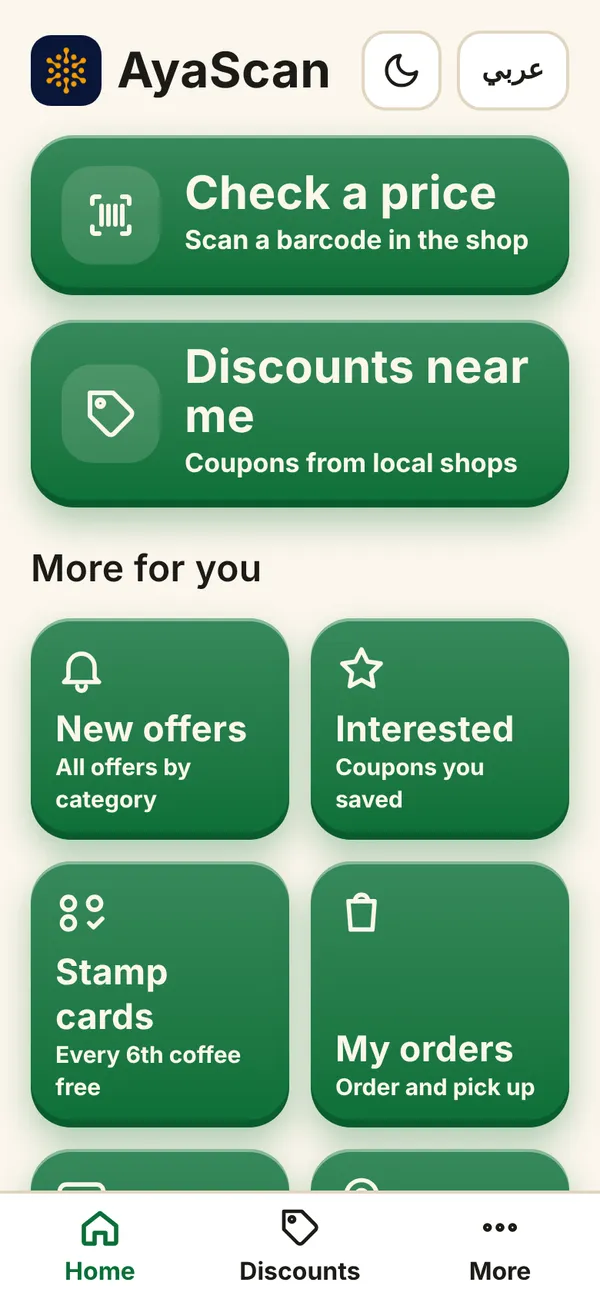
What you see on your phone Step 4
To open AyaScan like an app next time, put it on your home screen. Tap More at the bottom, then Install AyaScan and Install. On an iPhone tap Show me how: tap the Share button (a square with an arrow up) at the bottom of Safari, choose “Add to Home Screen”, then “Add”.
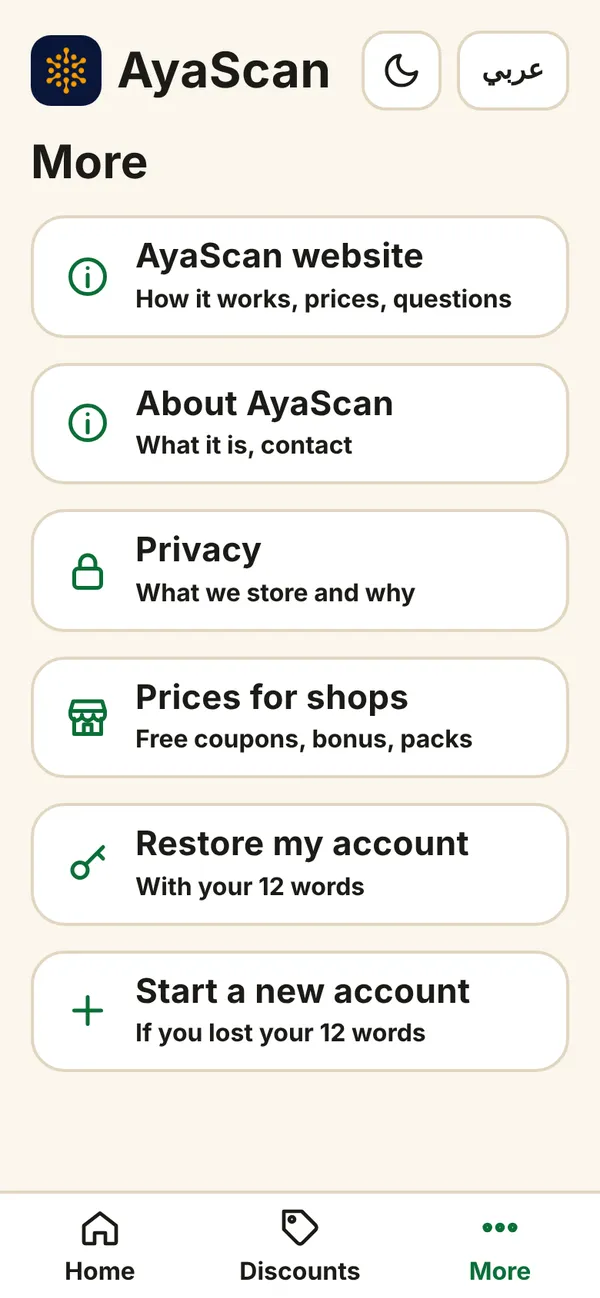
What you see on your phone Step 5
Now AyaScan has its own icon on your home screen. Tap it whenever you want to use AyaScan.
Done! Next: find a discount and use it in a shop.