
Upload your price list
Customers who scan a product near you see your price. You upload your prices once as a simple table file.
Words in a coloured box are the buttons and titles exactly as the app shows them. The app speaks English and Arabic.
Step 1
Open AyaScan, tap I have a shop, then Price list.
Step 2
Make a file in Excel or another table program: column A = barcode, column B = price, column C = name (optional). One product per row. Tap Download an example file to see one.
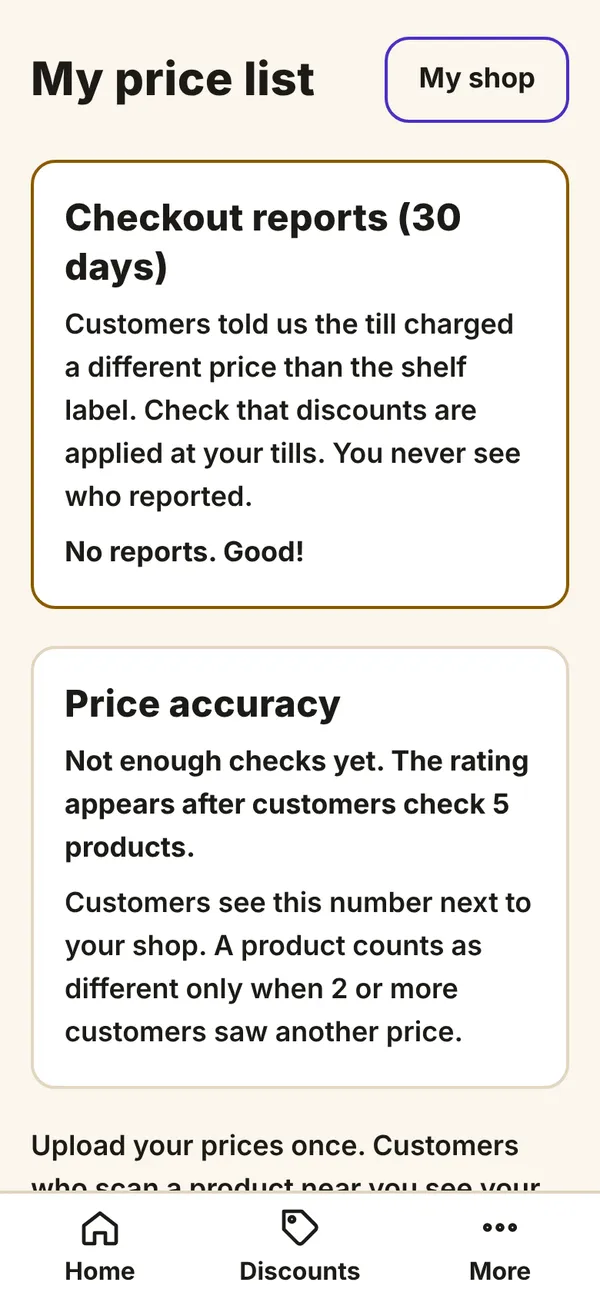
What you see on your phone Step 3
Choose the Currency of the prices.
Step 4
Tap Choose the file and pick your file. AyaScan reads it and shows how many products it found.
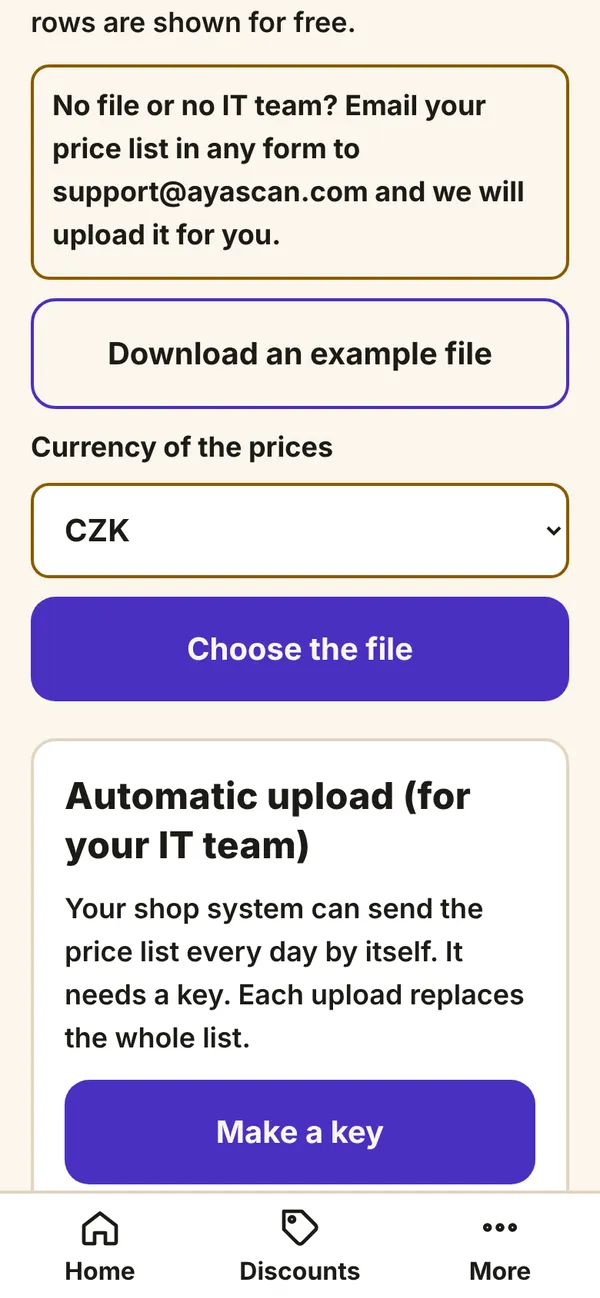
What you see on your phone Step 5
Done. A new file later replaces the whole list. No file or no time? Send your price list in any form to support@ayascan.com and we upload it for you.
The first 2 months show all your products for free.